更新时间: 202604111427
导读: Mac下安装OpenClaw小龙虾的保姆级教程,安装本身并不是特别复杂,它只是一个工具而已,想要实现帮助你干活,需要先把自己的工作流程详细的落成文字,教会给 OpenClaw,这需要磨合,你把他想象成一个人即可,你跟人如何交流,跟你的下属如何交代工作?
一、环境准备
1.安装HomeBrew
HomeBrew 是 Mac 上一个软件包管理软件,有了它安装程序很方便。
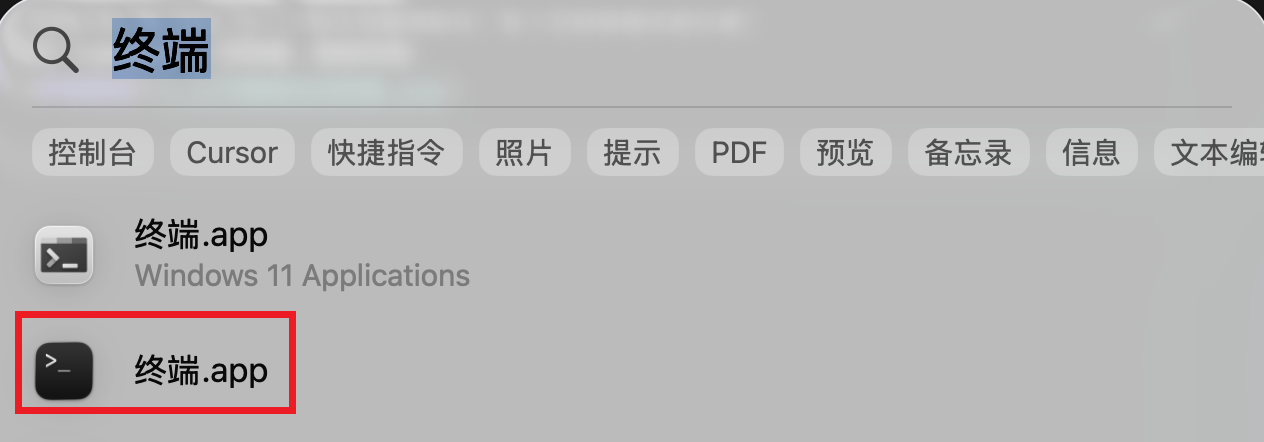
按住 Command + 空格键,搜索终端:
在打开的终端里执行以下命令:
| |
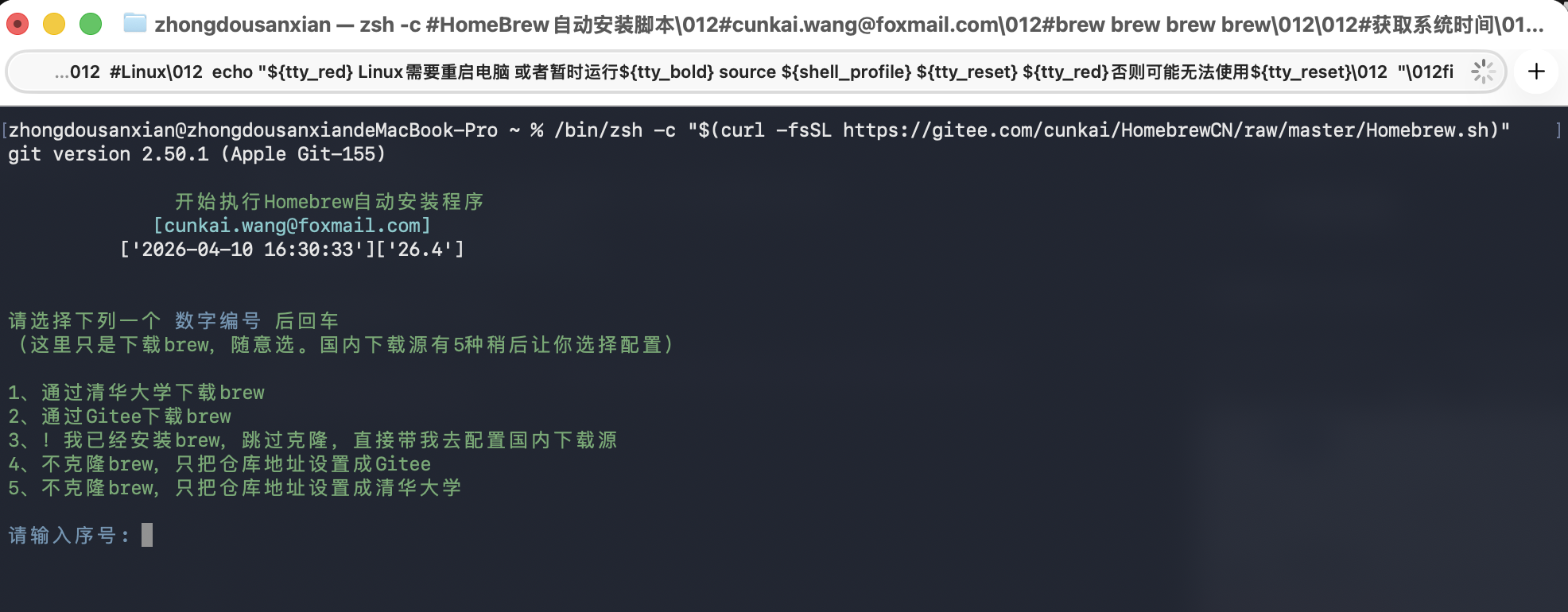
- 输入 2,从Gitee 下载,回车。
- 根据提示输入开机密码。
- 输入 Y,回车。
- 继续按回车开始。
- 最后再次输入开进密码,回车。
- 选择 5,使用阿里巴巴源
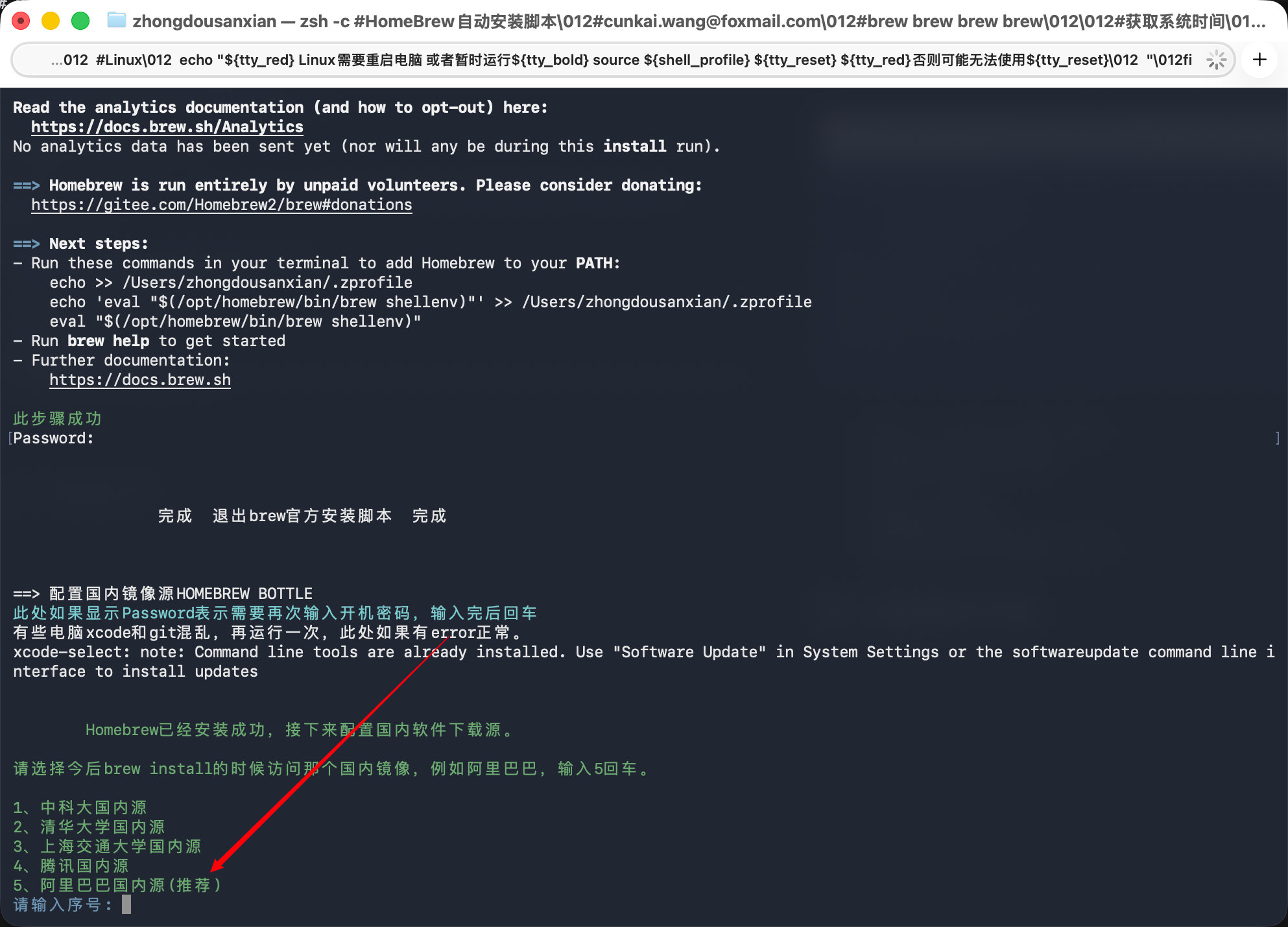
等待一段时间,完成。
安装完成后,关掉终端,重新打开一个。
2.安装Git
在新打开的终端中输入以下代码:
| |
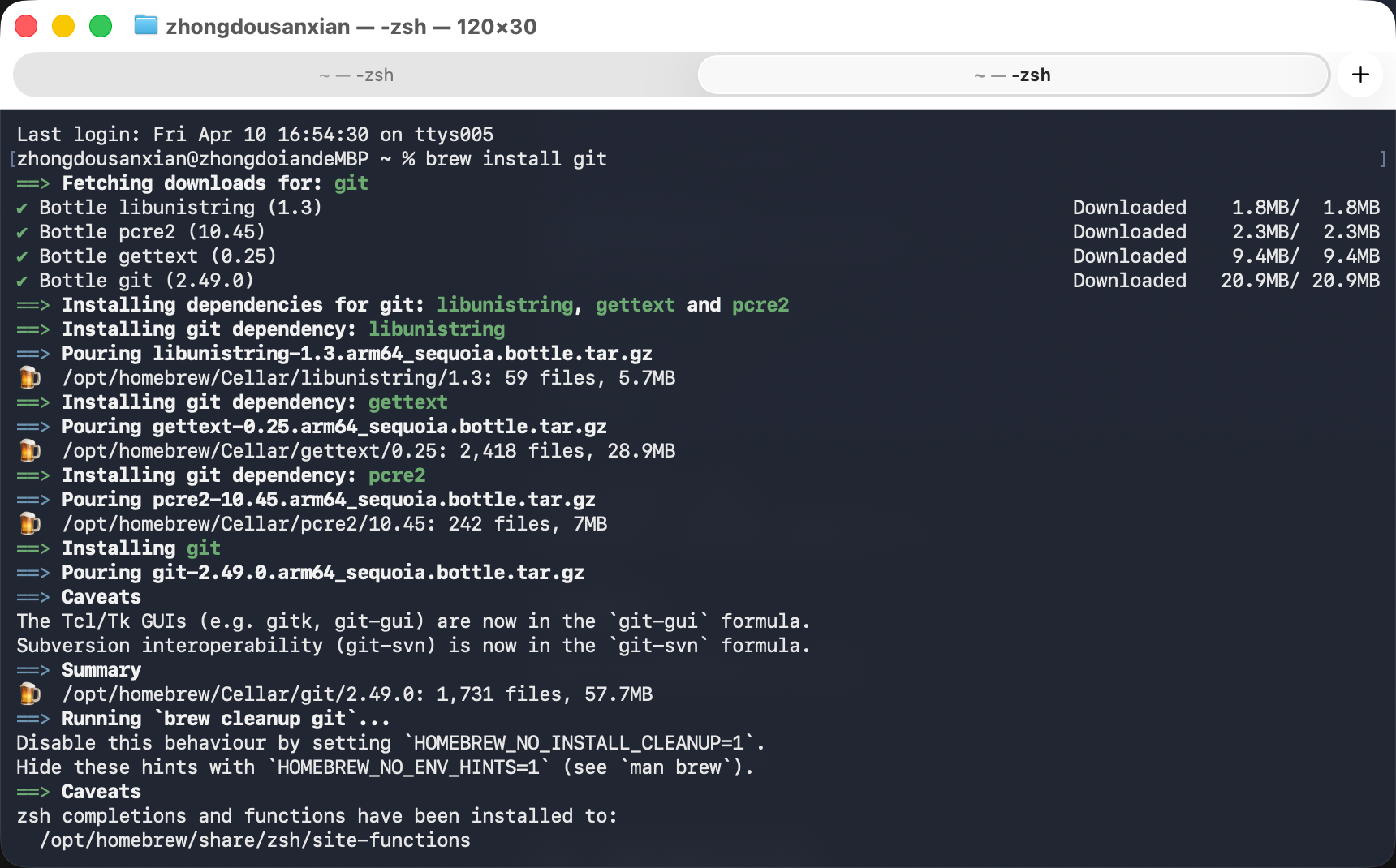 默认哐哐的就执行完了。
最后一步切换git 的 HTTPS 模式,在国内使用很比较流畅:
| |
3.安装Node.js
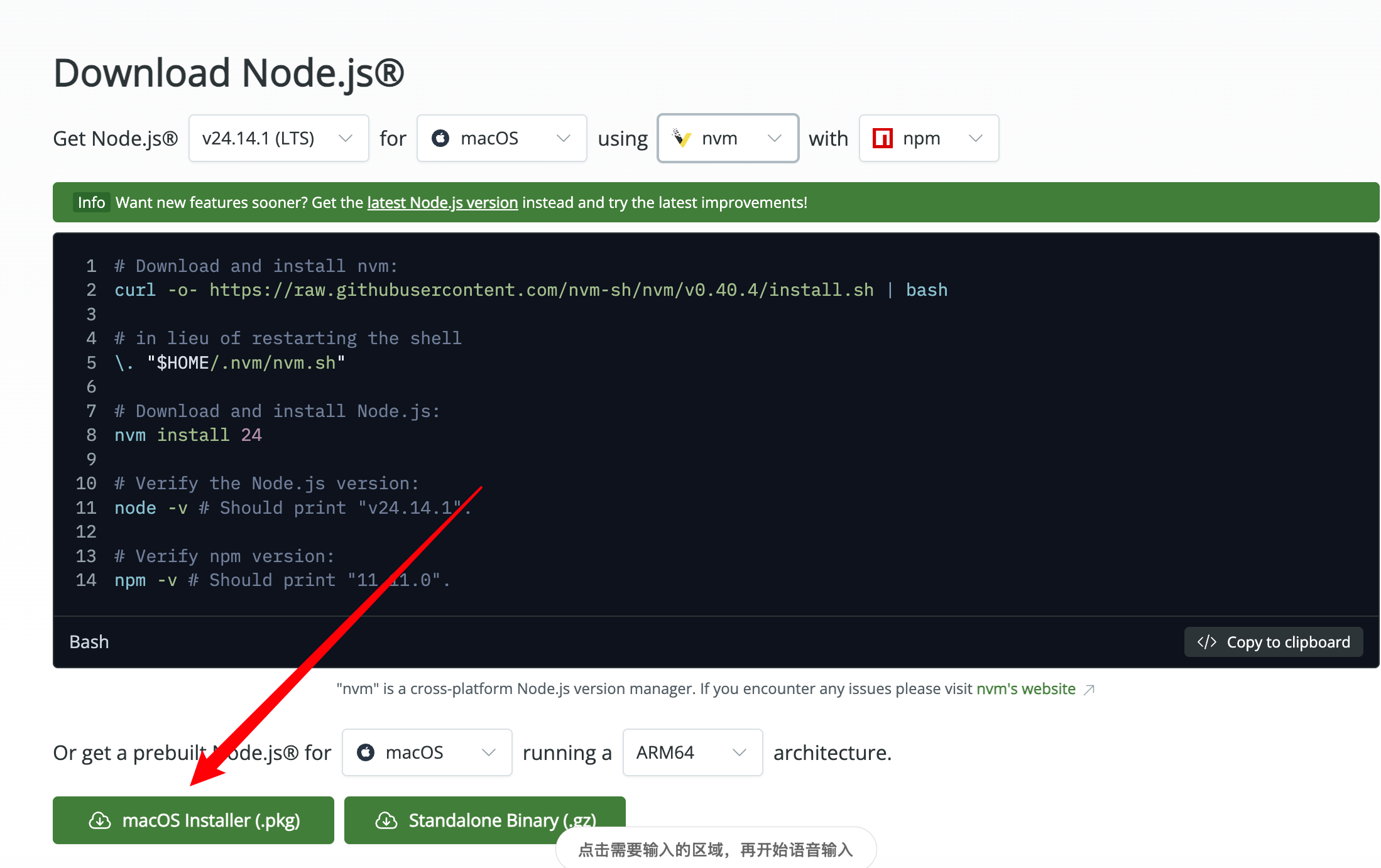
去这个网址,下载 Node.js:
| |
选择macOS 版本:
安装:
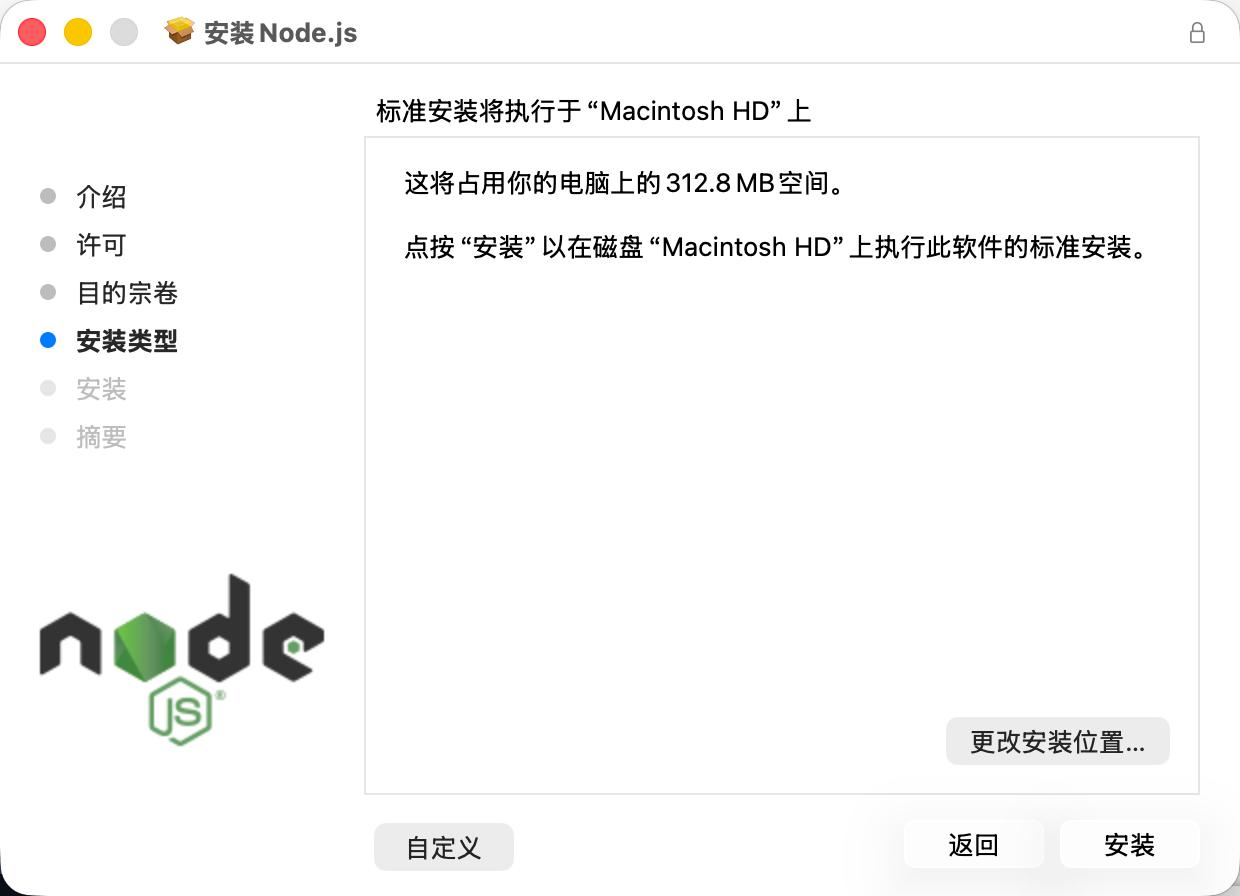
期间会要求输入开机密码。
执行完毕,开启一个新终端,检查下是否安装成功:
| |
能够显示版本号,就 OK 啦。
然后再执行以下命令,把 npm 的源切换到国内使用:
| |
二、安装OpenClaw
1.下载OpenClaw
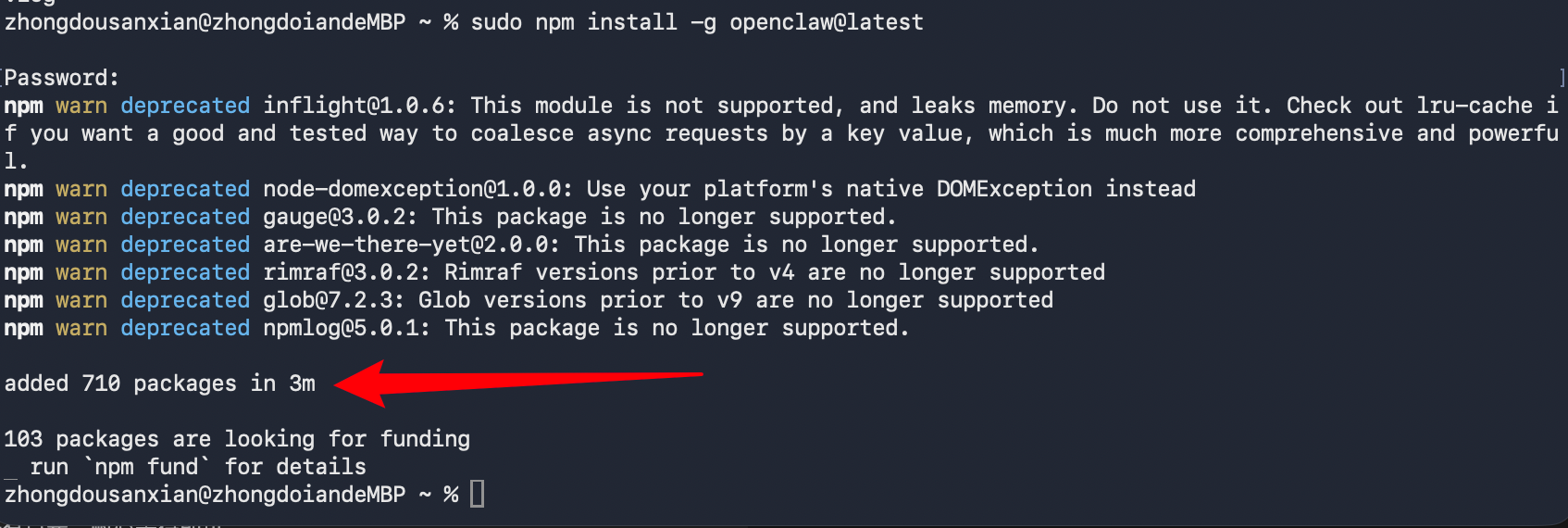
执行安装龙虾的命令:
| |
这个过程根据你的网络情况,或许有点长,耐心等待即可。
2.配置OpenClaw
先删除本地的飞书插件:
| |
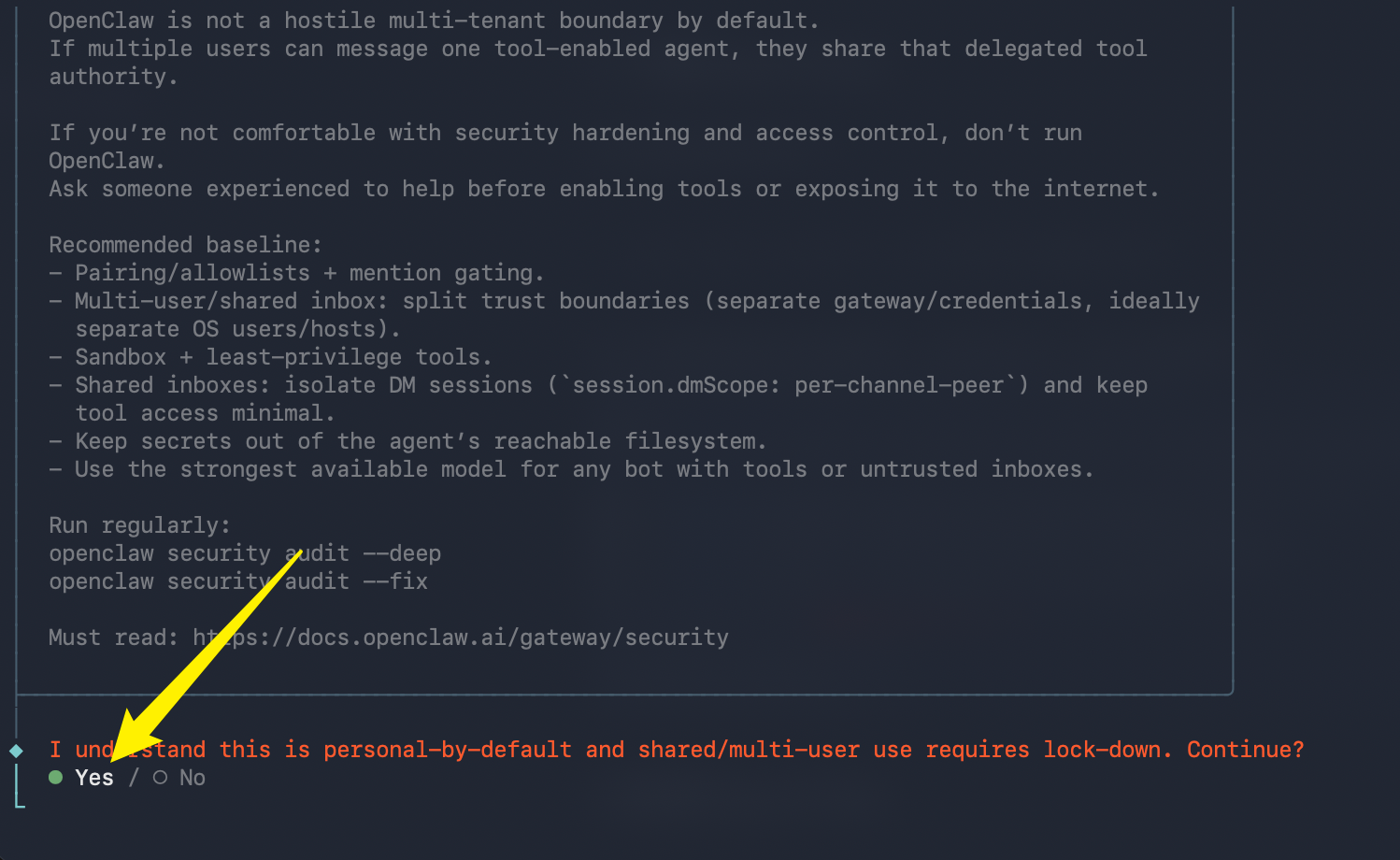
然后执行配置:
| |
按以下方向键,选择是:
下一步选择“QuickStart”
下一步选择我们要使用的大模型,我Kimi2.5 为例,选择 cn 选项
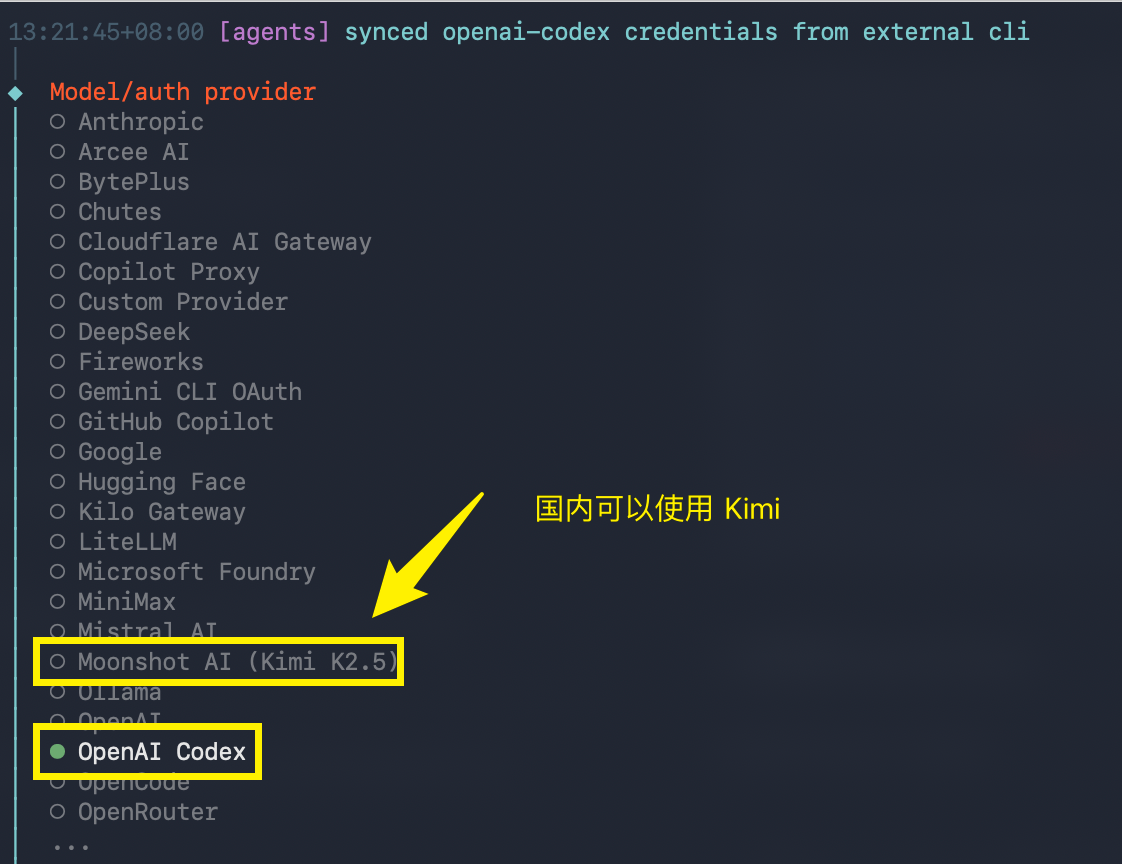
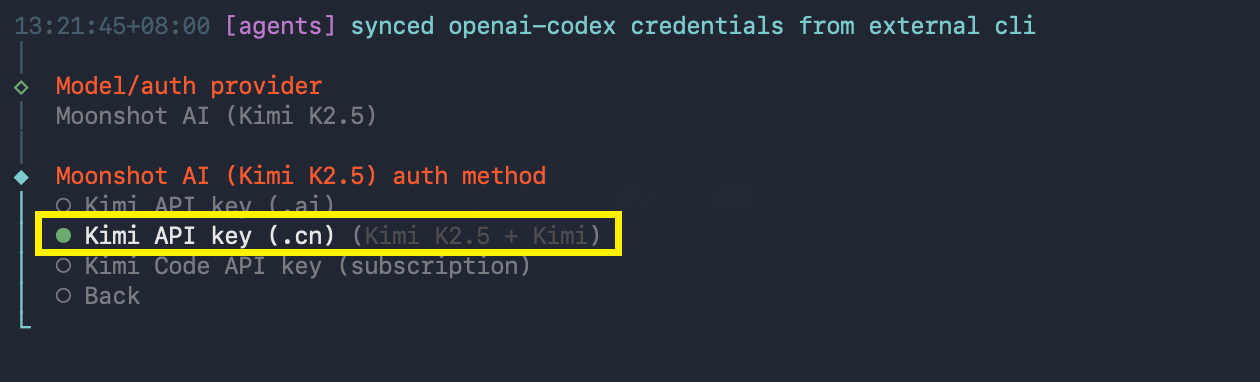
注册 Kimi
使用浏览器打开:https://platform.moonshot.cn/
注册完成后,点击进入用户中心,新建 API Key: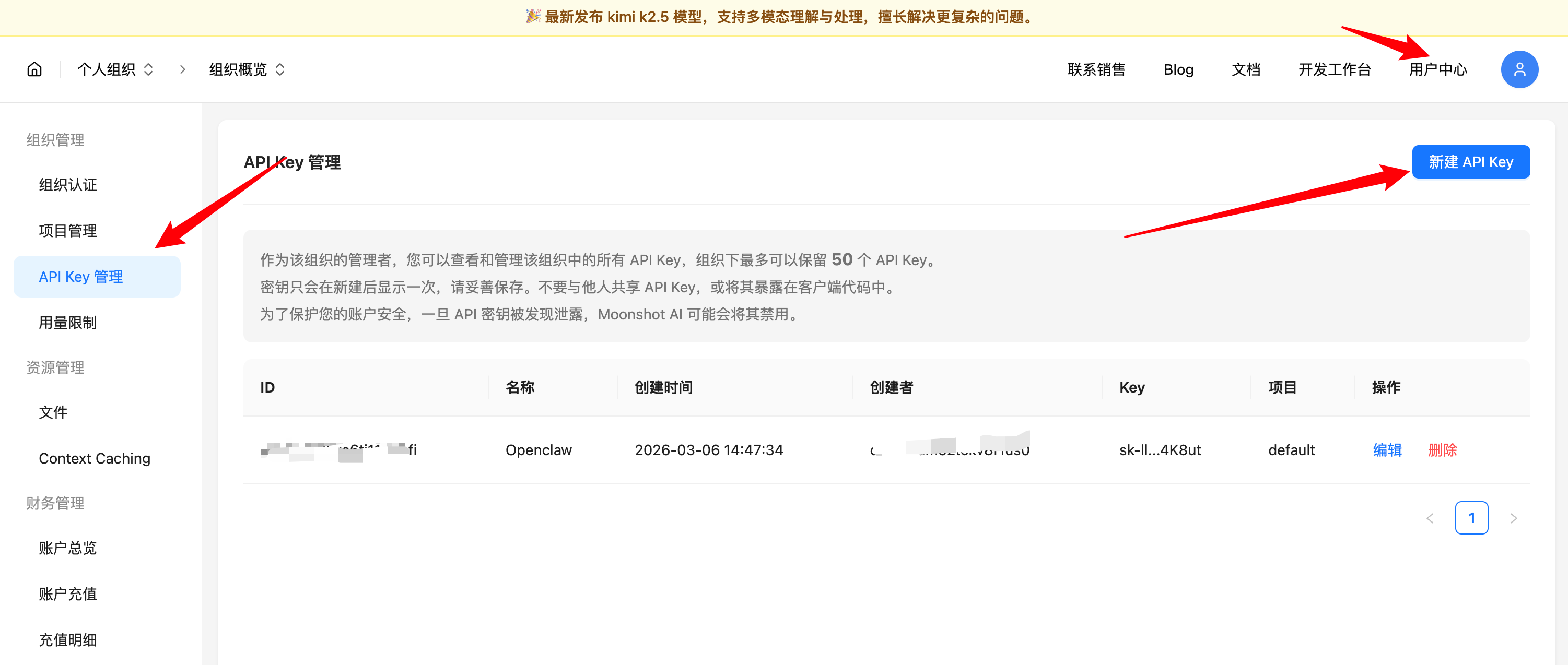
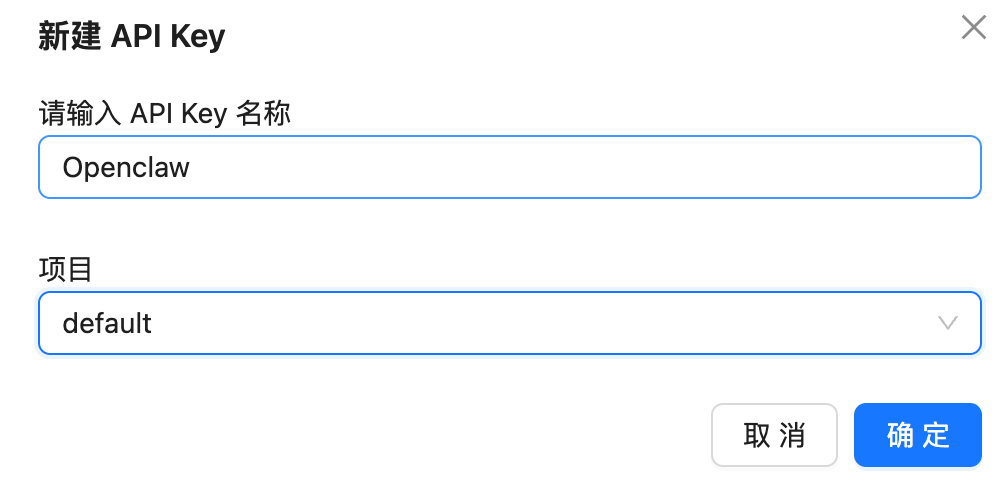 新建的时候,弹出您的密钥,立马复制保存下来,这个密钥只出现一次,否则只能再次新建:
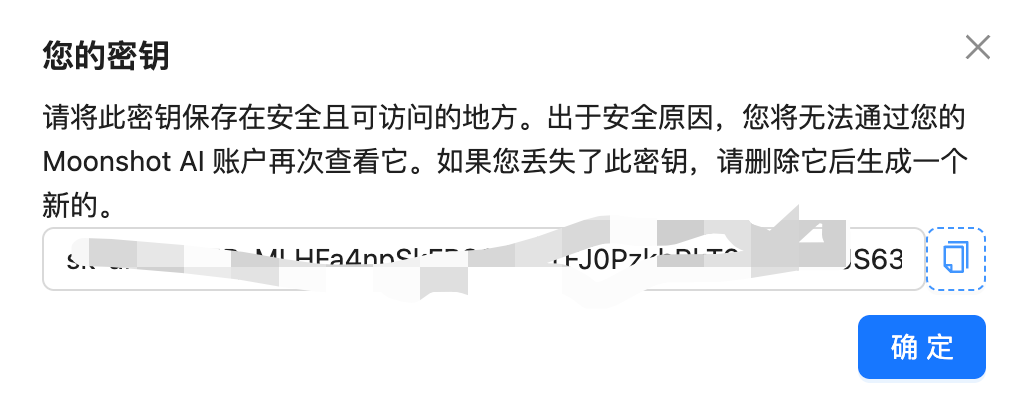 使用之前,先去充值或是购买 Coding Plan。
把生成的密钥,粘贴到终端中,回车,下一步保持默认即可: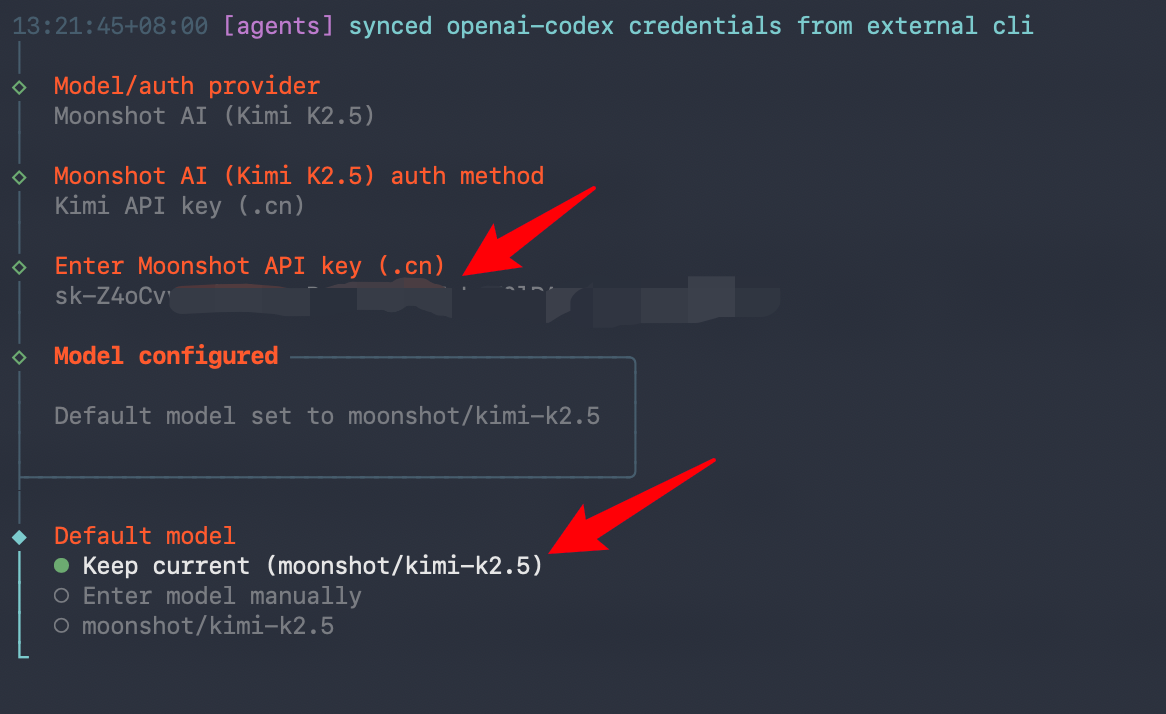
这一步,我们选择,飞书平台,配置好后我们就可以用手机吩咐龙虾干活了
先去注册飞书,https://www.feishu.cn/download
然后去飞书开放平台:https://open.feishu.cn/?lang=zh-CN
进入开发者后台,创建企业自建应用: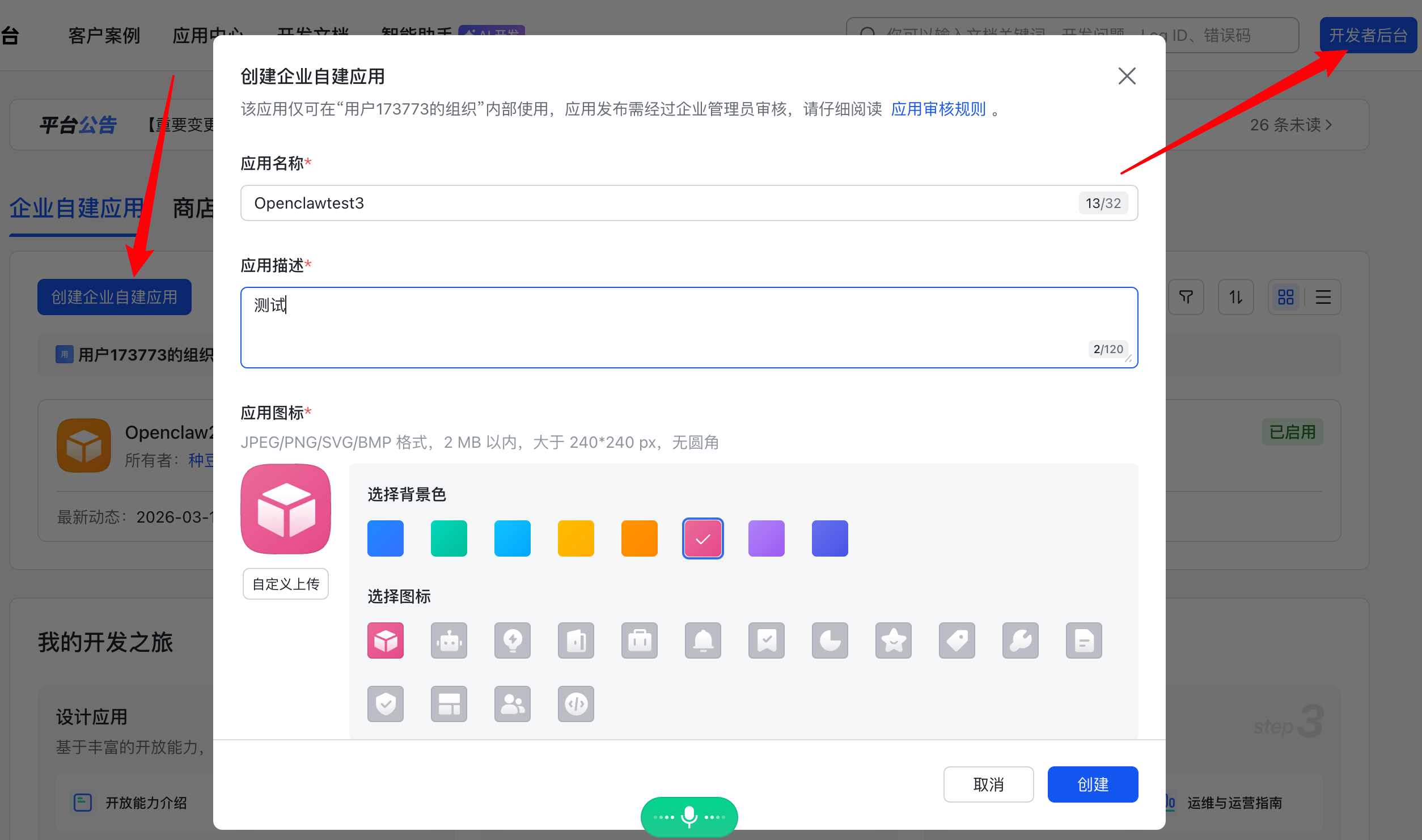 添加机器人:
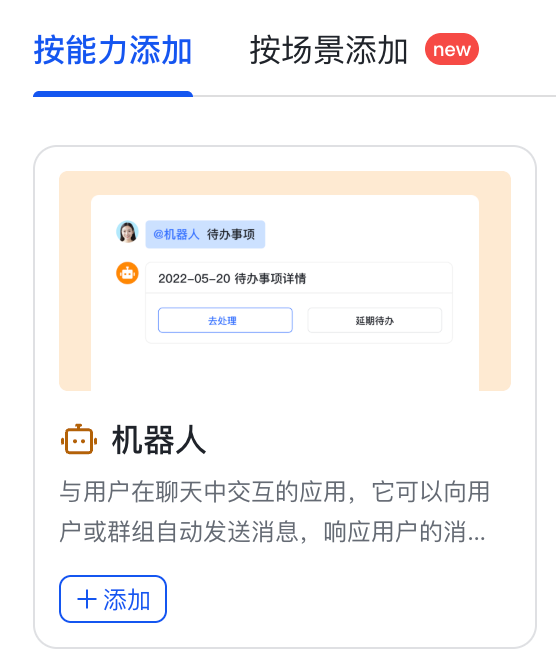
然后点击权限管理,批量导入: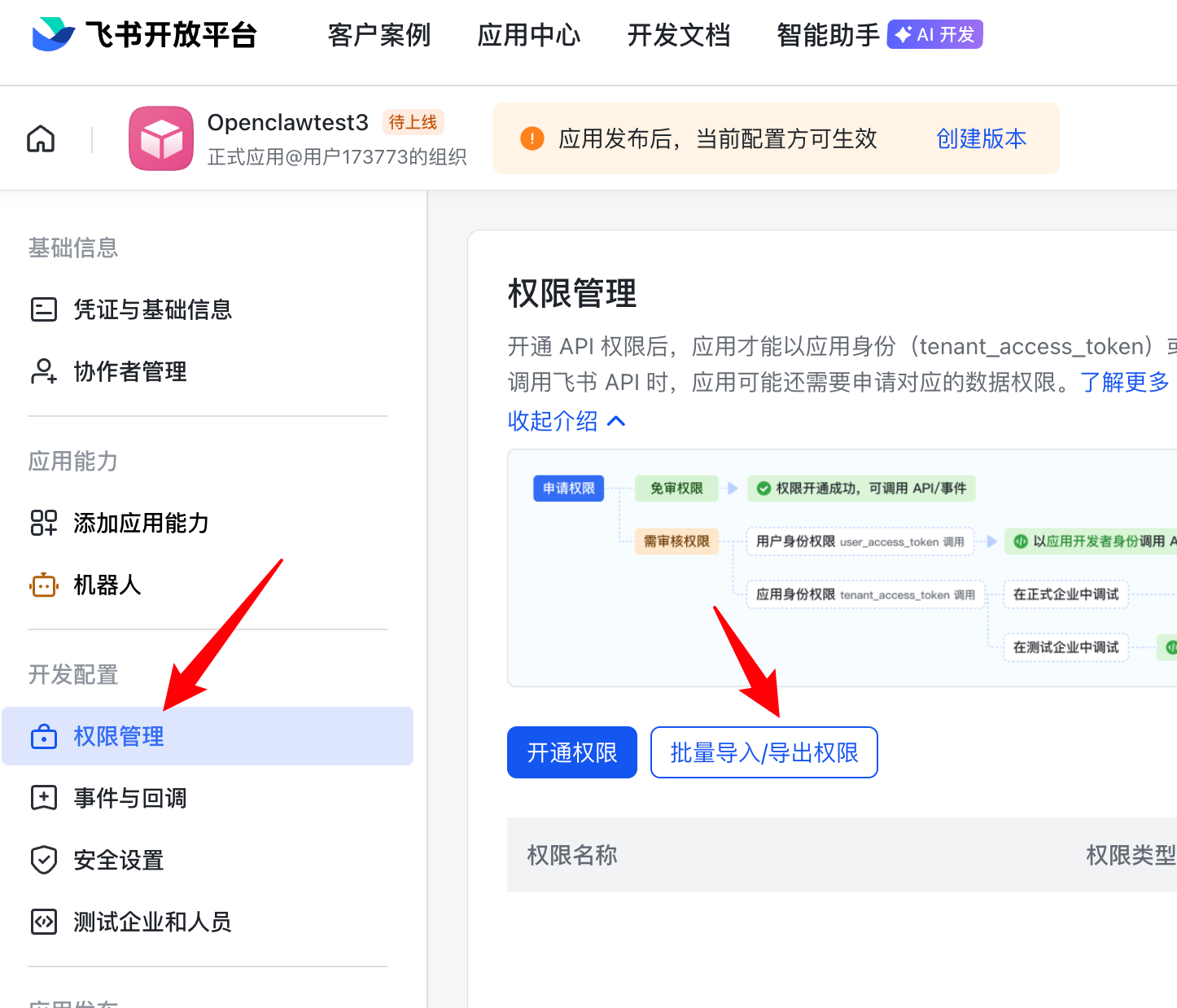 先删除原有代码,把以下代码粘贴进去:
1 2 3 4 5 6 7 8 9 10 11 12 13 14 15 16 17 18 19 20 21 22 23 24 25 26 27 28 29 30 31 32 33 34 35 36 37 38 39 40 41 42 43 44 45 46 47 48 49 50 51 52 53 54 55 56 57 58 59 60 61 62 63 64 65 66 67 68 69 70 71 72 73 74 75 76 77 78 79 80 81 82 83 84 85 86 87 88 89 90 91 92 93 94 95 96 97 98 99 100 101 102 103 104 105 106 107 108 109 110 111 112 113 114 115 116 117 118 119 120 121 122 123 124 125 126 127 128 129 130 131 132 133 134 135 136 137 138 139 140 141 142 143 144 145 146 147 148 149 150 151 152 153 154 155 156 157 158 159 160 161 162 163 164 165 166 167 168 169 170 171 172 173 174 175 176 177 178 179 180{ "scopes": { "tenant": [ "base:app:copy", "base:app:create", "base:app:read", "base:app:update", "base:collaborator:create", "base:collaborator:delete", "base:collaborator:read", "base:dashboard:copy", "base:dashboard:read", "base:field:create", "base:field:delete", "base:field:read", "base:field:update", "base:form:read", "base:form:update", "base:record:create", "base:record:delete", "base:record:read", "base:record:retrieve", "base:record:update", "base:role:create", "base:role:delete", "base:role:read", "base:role:update", "base:table:create", "base:table:delete", "base:table:read", "base:table:update", "base:view:read", "base:view:write_only", "bitable:app", "bitable:app:readonly", "board:whiteboard:node:create", "board:whiteboard:node:delete", "board:whiteboard:node:read", "board:whiteboard:node:update", "contact:contact.base:readonly", "contact:user.base:readonly", "contact:user.employee_id:readonly", "contact:user.employee_number:read", "contact:user.id:readonly", "docs:doc", "docs:doc:readonly", "docs:document.comment:create", "docs:document.comment:read", "docs:document.comment:update", "docs:document.comment:write_only", "docs:document.content:read", "docs:document.media:download", "docs:document.media:upload", "docs:document.subscription", "docs:document.subscription:read", "docs:document:copy", "docs:document:export", "docs:document:import", "docs:event.document_deleted:read", "docs:event.document_edited:read", "docs:event.document_opened:read", "docs:event:subscribe", "docs:permission.member", "docs:permission.member:auth", "docs:permission.member:create", "docs:permission.member:delete", "docs:permission.member:readonly", "docs:permission.member:retrieve", "docs:permission.member:transfer", "docs:permission.member:update", "docs:permission.setting", "docs:permission.setting:read", "docs:permission.setting:readonly", "docs:permission.setting:write_only", "docx:document", "docx:document.block:convert", "docx:document:create", "docx:document:readonly", "drive:drive", "drive:drive.metadata:readonly", "drive:drive.search:readonly", "drive:drive:readonly", "drive:drive:version", "drive:drive:version:readonly", "drive:export:readonly", "drive:file", "drive:file.like:readonly", "drive:file.meta.sec_label.read_only", "drive:file:download", "drive:file:readonly", "drive:file:upload", "drive:file:view_record:readonly", "event:ip_list", "im:app_feed_card:write", "im:biz_entity_tag_relation:read", "im:biz_entity_tag_relation:write", "im:chat", "im:chat.access_event.bot_p2p_chat:read", "im:chat.announcement:read", "im:chat.announcement:write_only", "im:chat.chat_pins:read", "im:chat.chat_pins:write_only", "im:chat.collab_plugins:read", "im:chat.collab_plugins:write_only", "im:chat.managers:write_only", "im:chat.members:bot_access", "im:chat.members:read", "im:chat.members:write_only", "im:chat.menu_tree:read", "im:chat.menu_tree:write_only", "im:chat.moderation:read", "im:chat.tabs:read", "im:chat.tabs:write_only", "im:chat.top_notice:write_only", "im:chat.widgets:read", "im:chat.widgets:write_only", "im:chat:create", "im:chat:delete", "im:chat:moderation:write_only", "im:chat:operate_as_owner", "im:chat:read", "im:chat:readonly", "im:chat:update", "im:datasync.feed_card.time_sensitive:write", "im:message", "im:message.group_at_msg:readonly", "im:message.group_msg", "im:message.p2p_msg:readonly", "im:message.pins:read", "im:message.pins:write_only", "im:message.reactions:read", "im:message.reactions:write_only", "im:message.urgent", "im:message.urgent.status:write", "im:message.urgent:phone", "im:message.urgent:sms", "im:message:readonly", "im:message:recall", "im:message:send_as_bot", "im:message:send_multi_depts", "im:message:send_multi_users", "im:message:send_sys_msg", "im:message:update", "im:resource", "im:tag:read", "im:tag:write", "im:url_preview.update", "im:user_agent:read", "sheets:spreadsheet", "sheets:spreadsheet.meta:read", "sheets:spreadsheet.meta:write_only", "sheets:spreadsheet:create", "sheets:spreadsheet:read", "sheets:spreadsheet:readonly", "sheets:spreadsheet:write_only", "space:document.event:read", "space:document:delete", "space:document:move", "space:document:retrieve", "space:document:shortcut", "space:folder:create", "wiki:member:create", "wiki:member:retrieve", "wiki:member:update", "wiki:node:copy", "wiki:node:create", "wiki:node:move", "wiki:node:read", "wiki:node:retrieve", "wiki:node:update", "wiki:setting:read", "wiki:setting:write_only", "wiki:space:read", "wiki:space:retrieve", "wiki:space:write_only", "wiki:wiki", "wiki:wiki:readonly" ] } }然后点击申请开通,最后点击确认。 完成后再点击进入版本管理与发布:
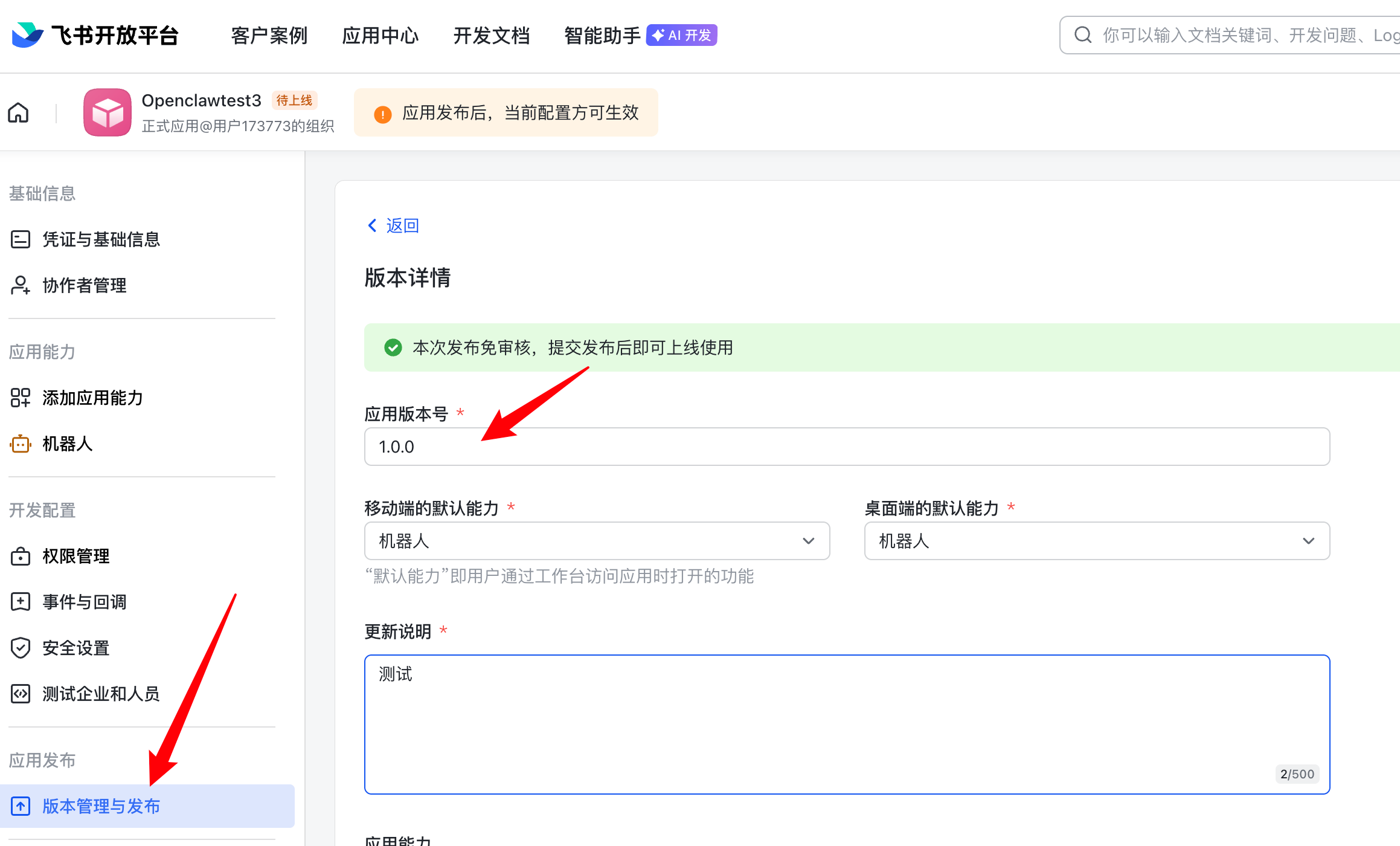 发布:
发布:
 我们回到终端,选择飞书:
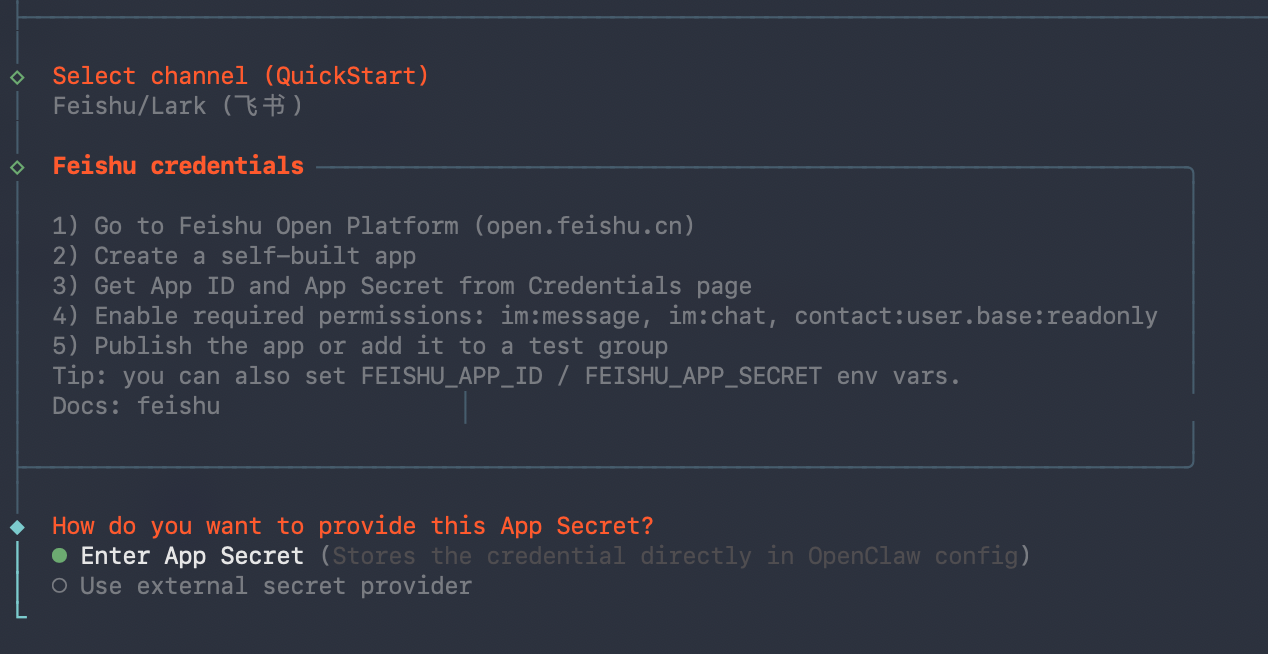 把凭证与基础信息里的应用凭证粘贴到终端中,根据提示先粘贴 Secret:
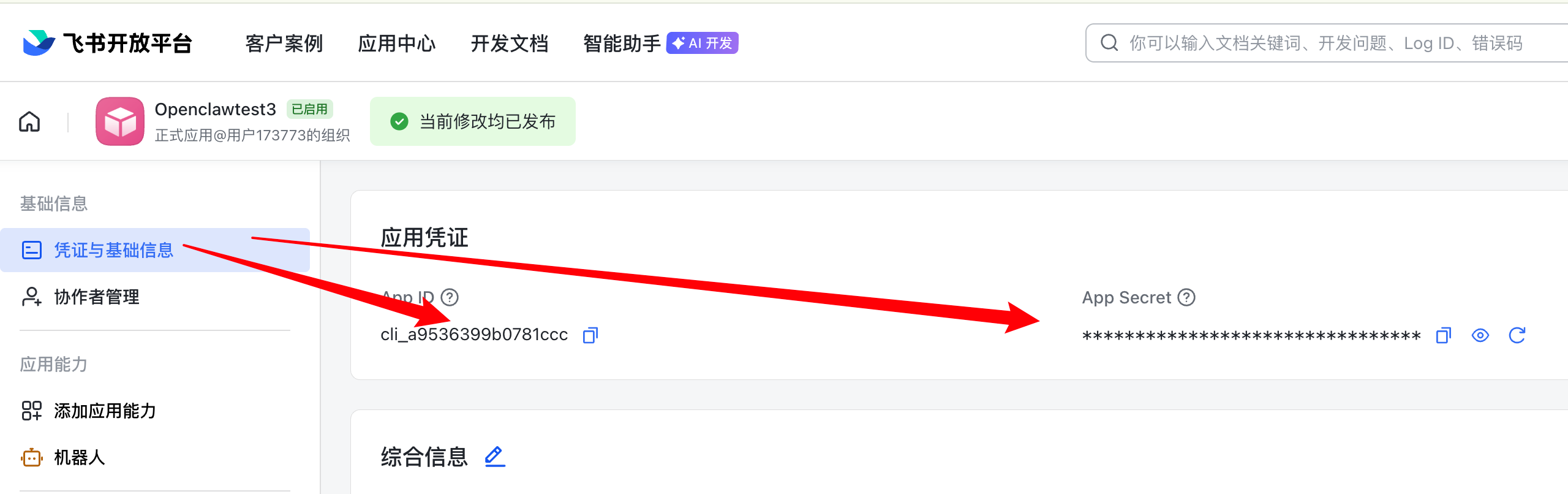
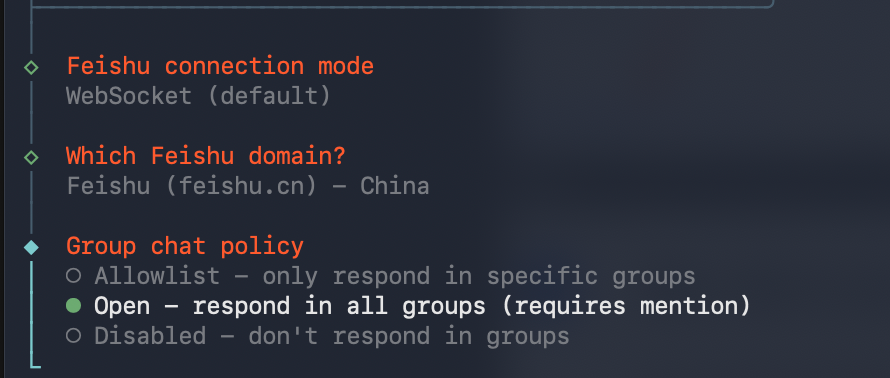
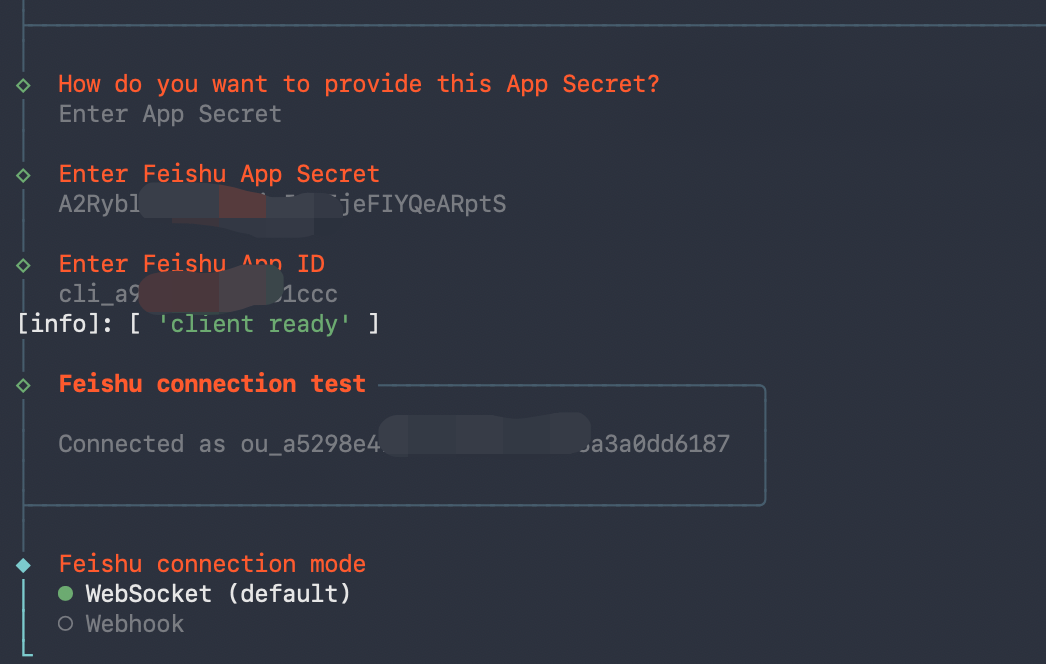 下一步,选择WebSocket、feishu.cn、Open:
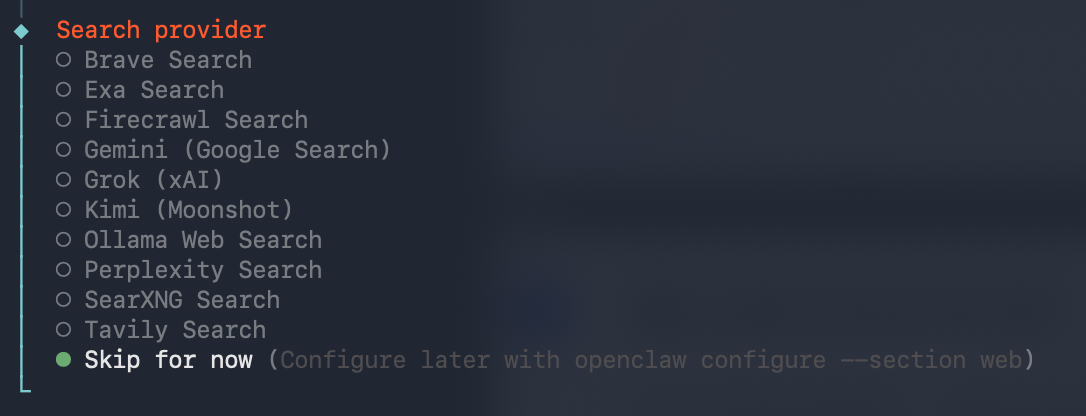
 这里的 Search provider,先跳过:
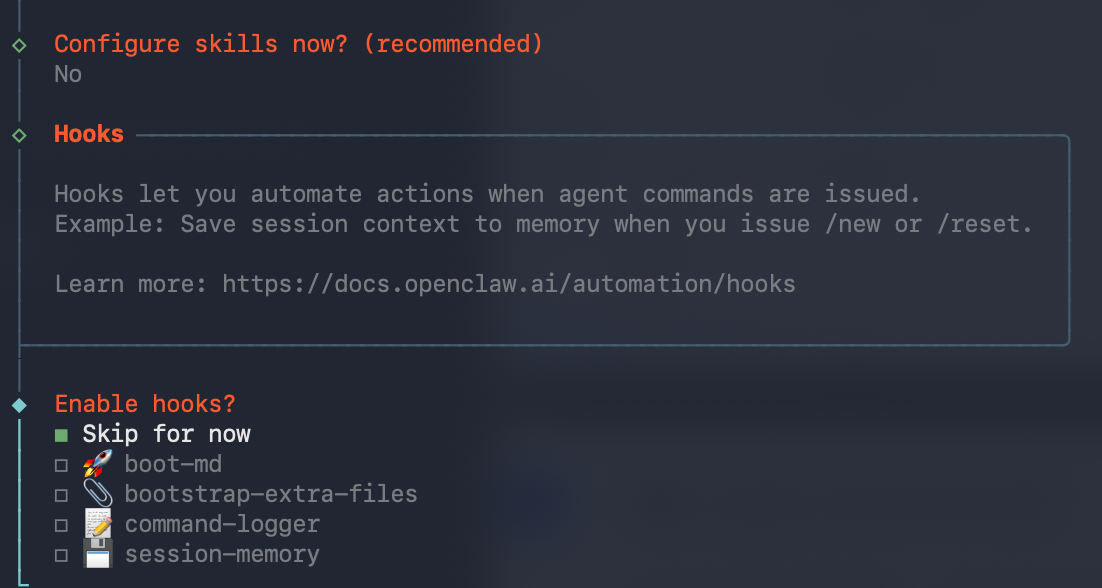
 Skills,也先不用装,我们后面根据选择安装,hooks 也选择跳过,按以下空格键就表示选中:
 选择第2个:
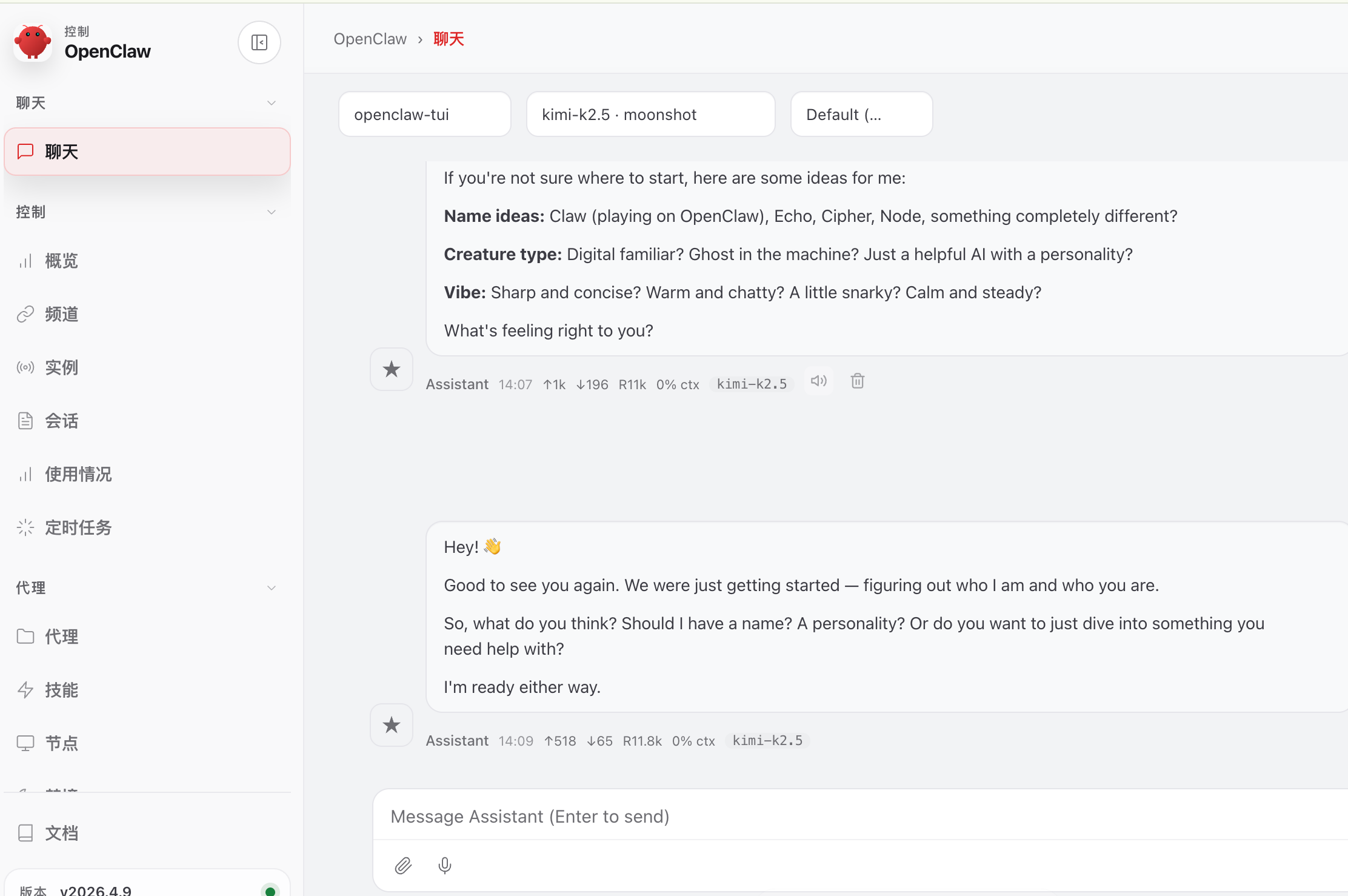
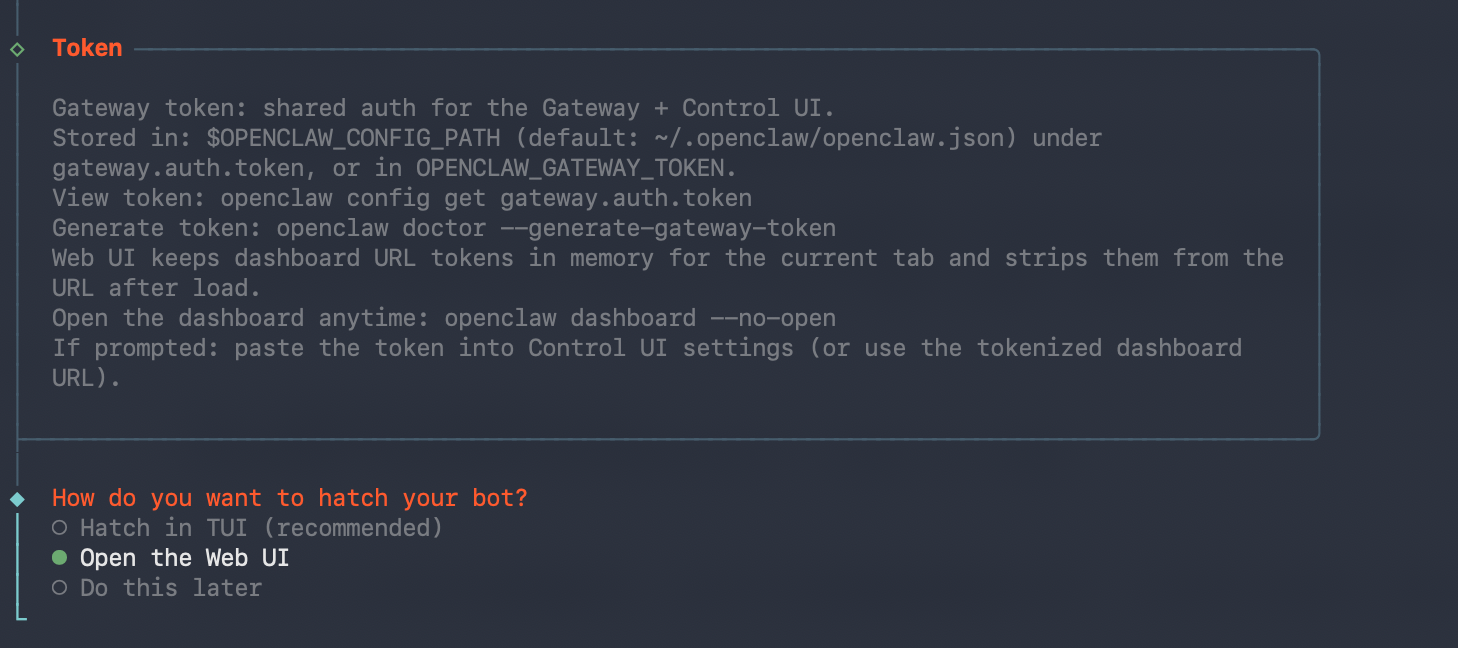 这样就会弹出一个网页:
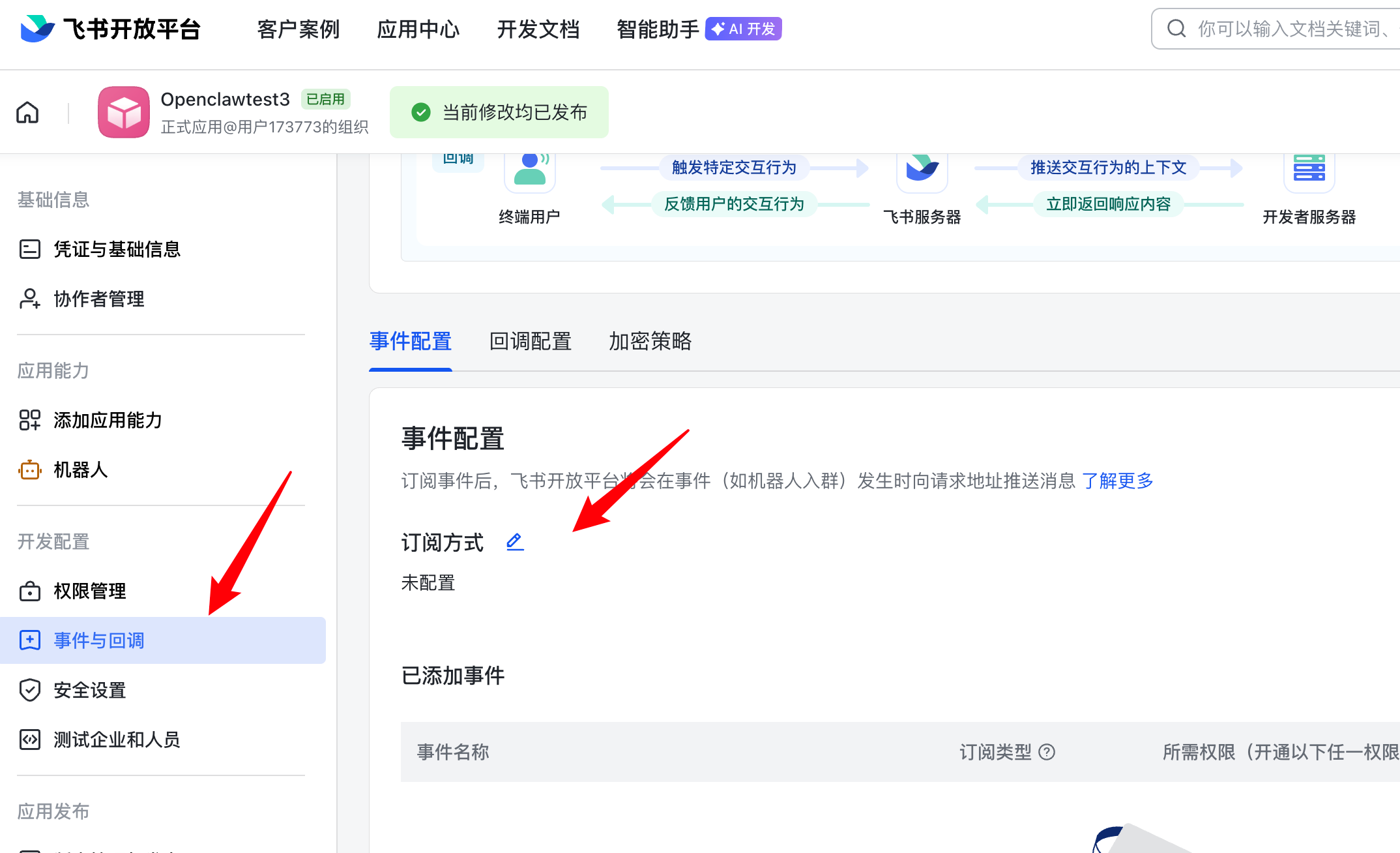
 然后我们回到飞书,点击事件与回调,点击订阅方式,选择长连接点击保存:
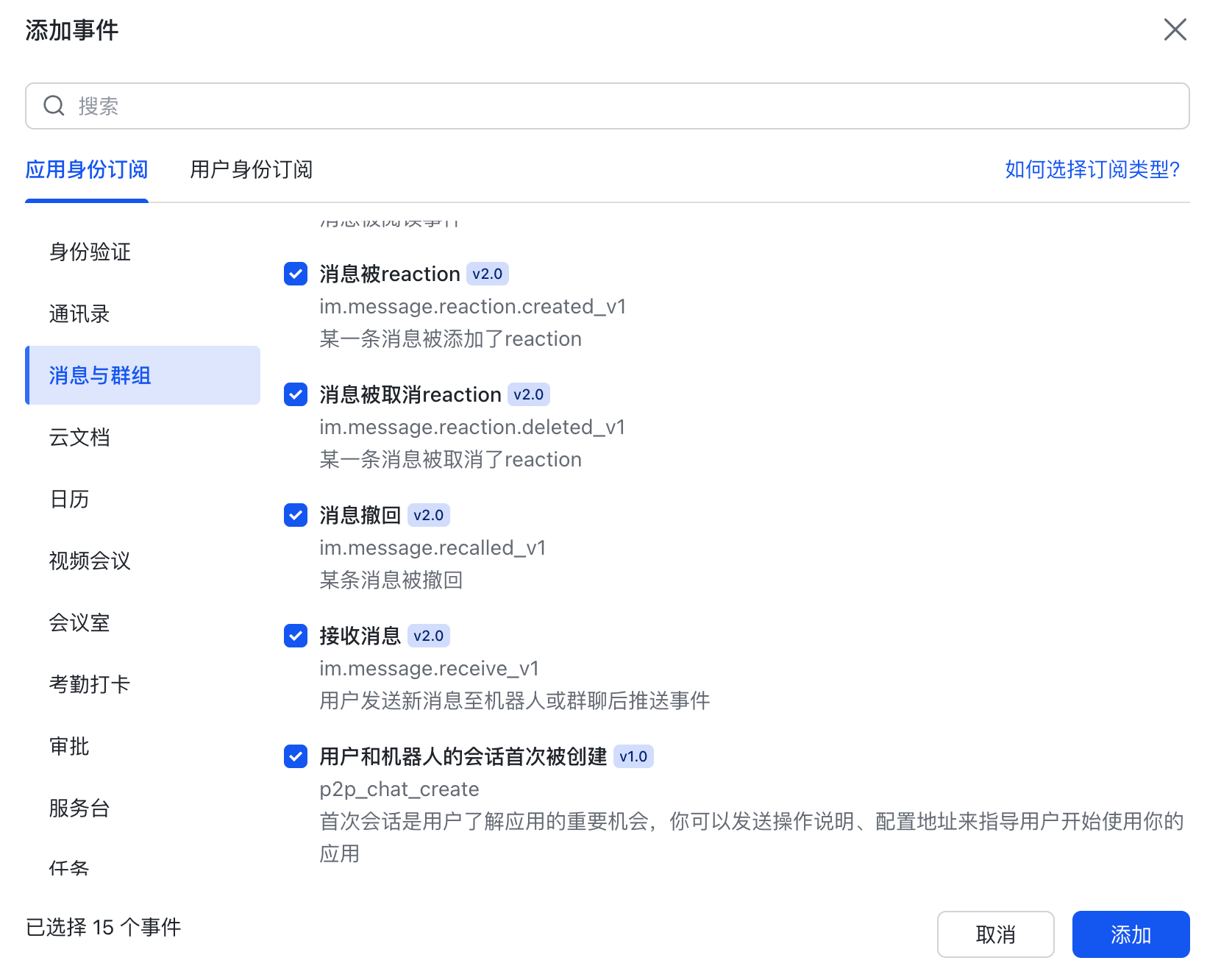
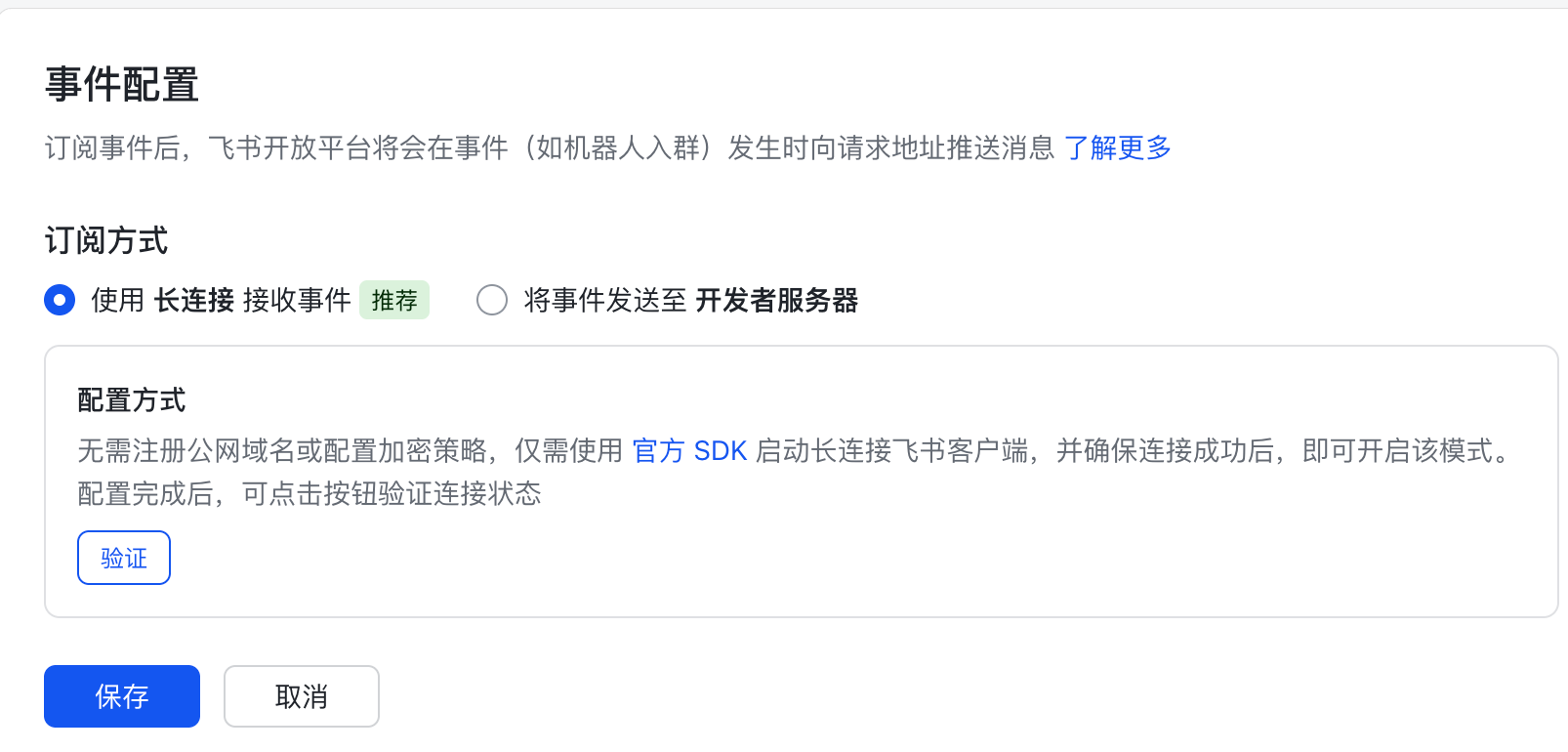 右下角添加事件,选择消息与群组,全选:
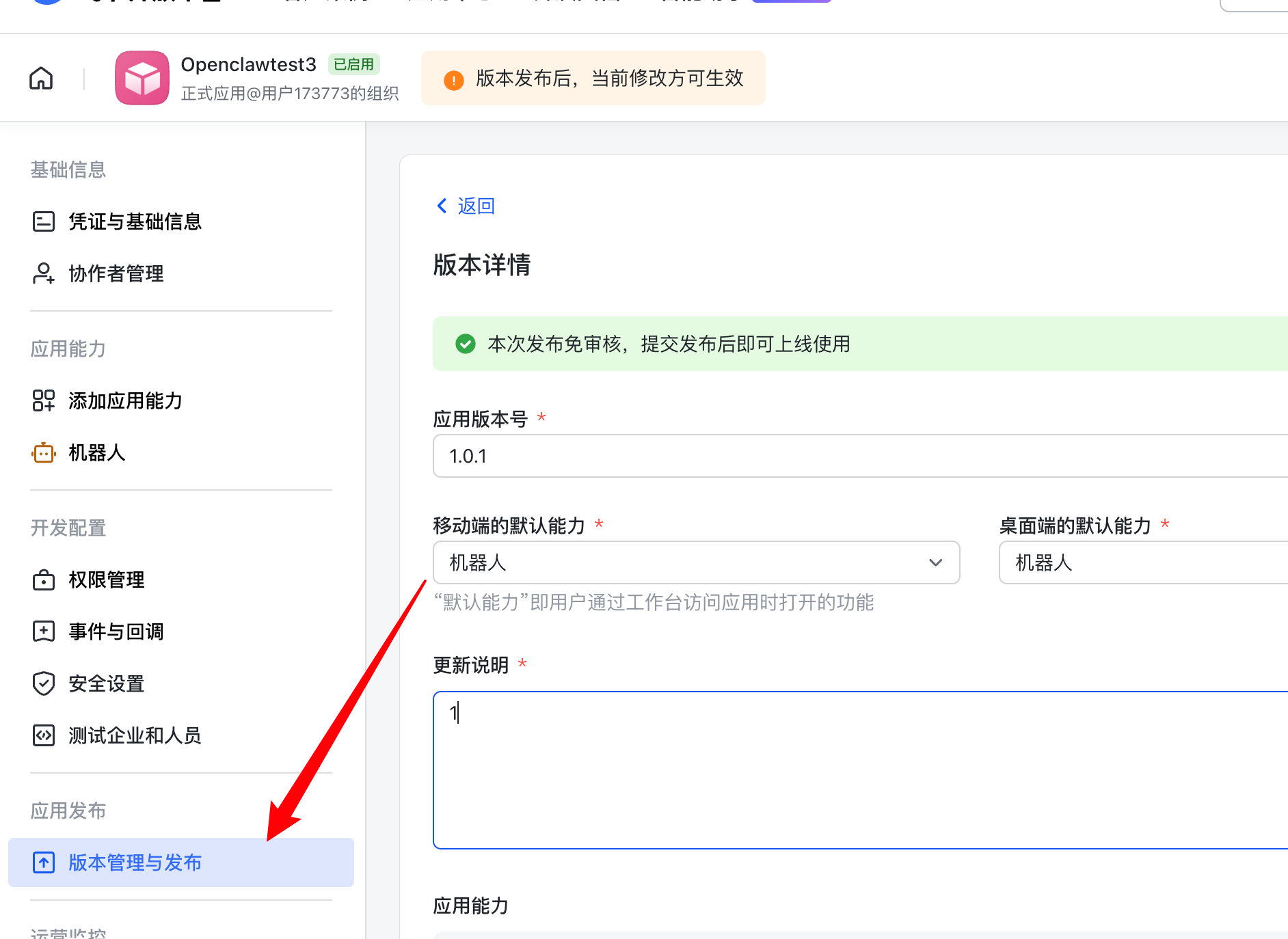
 然后再发布新的版本:
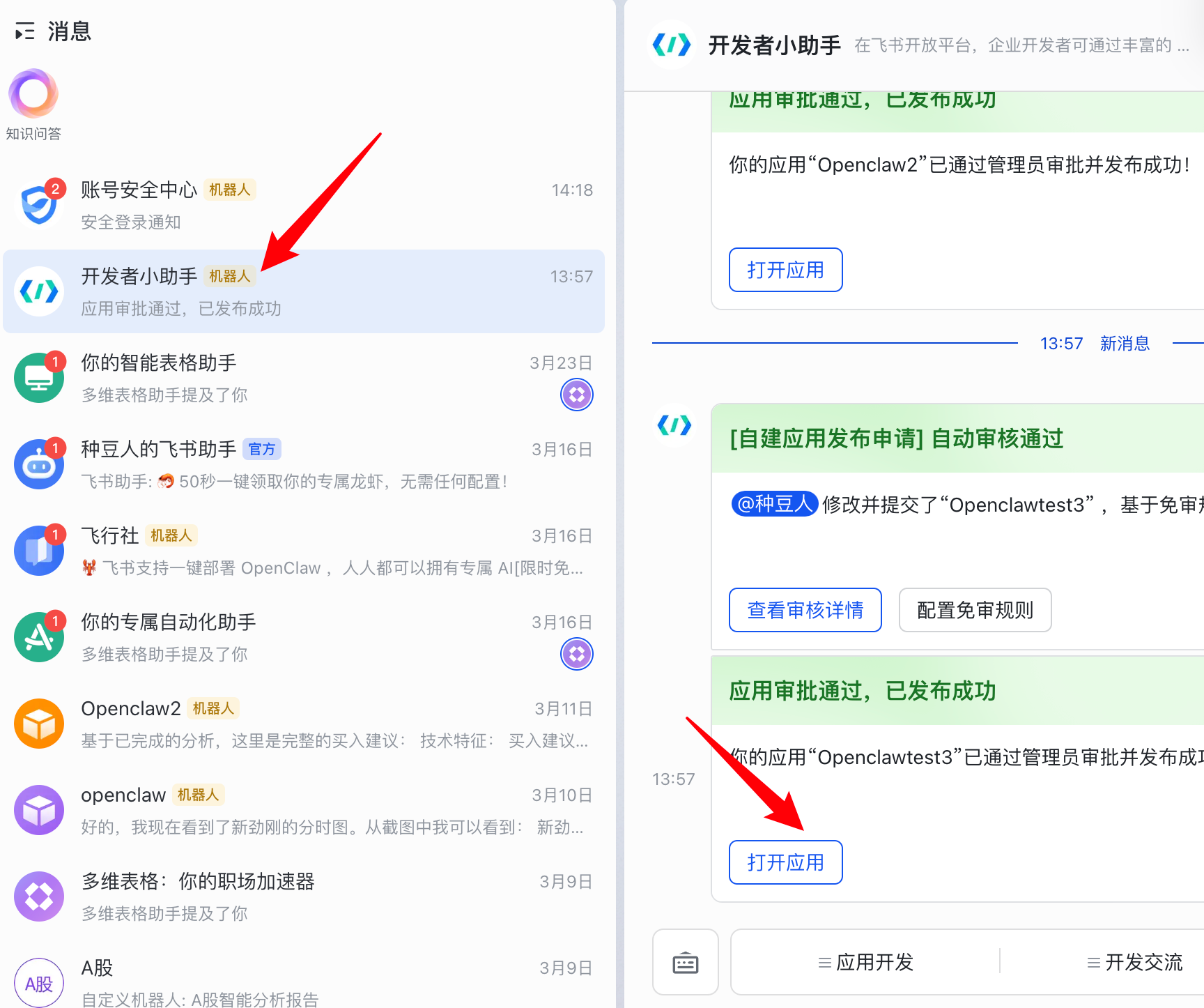
 然后,打开飞书 APP,电脑端和手机端都可以,自己去下载,你会发现开发者小助手给你发来了消息,打开它,并且点击打开应用:
 随便给它发个消息,他会返回你一串英文,复制最后这串代码到终端上执行以下:
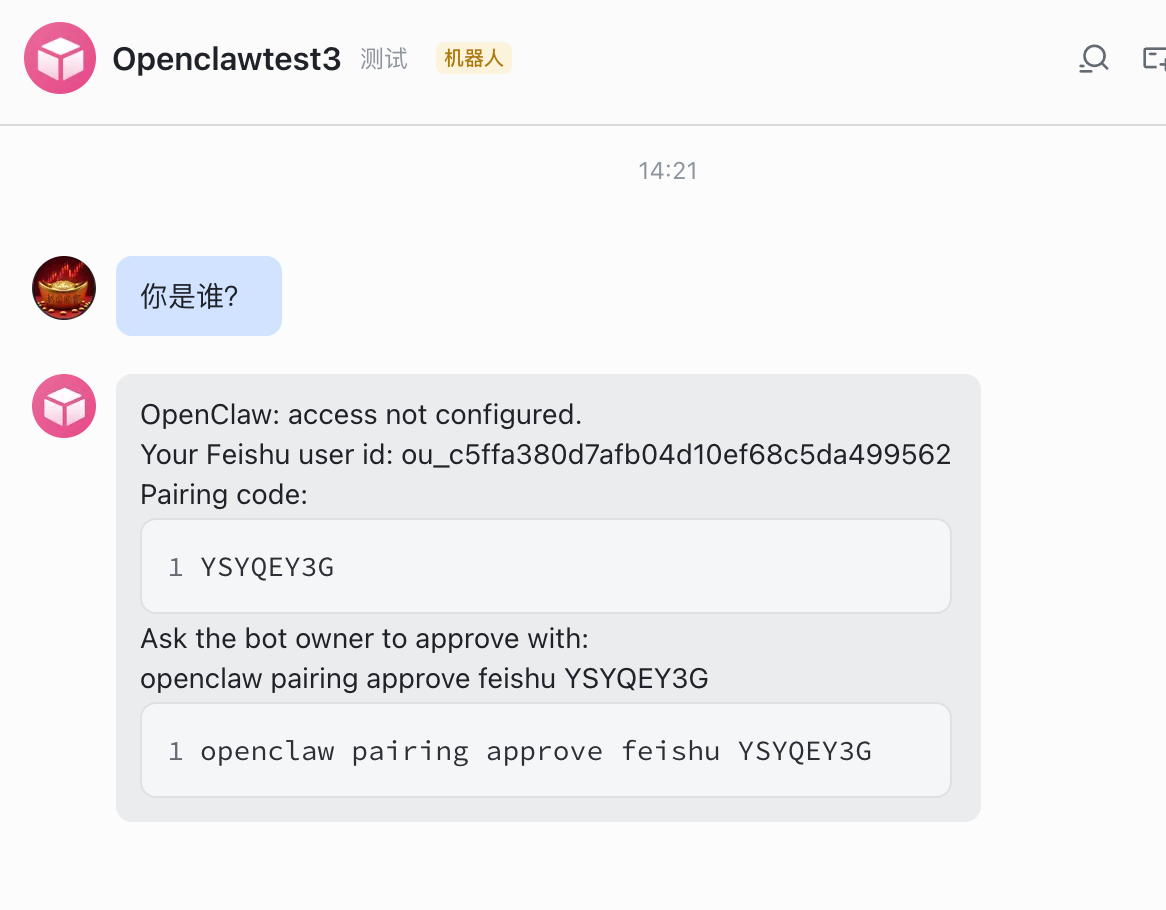
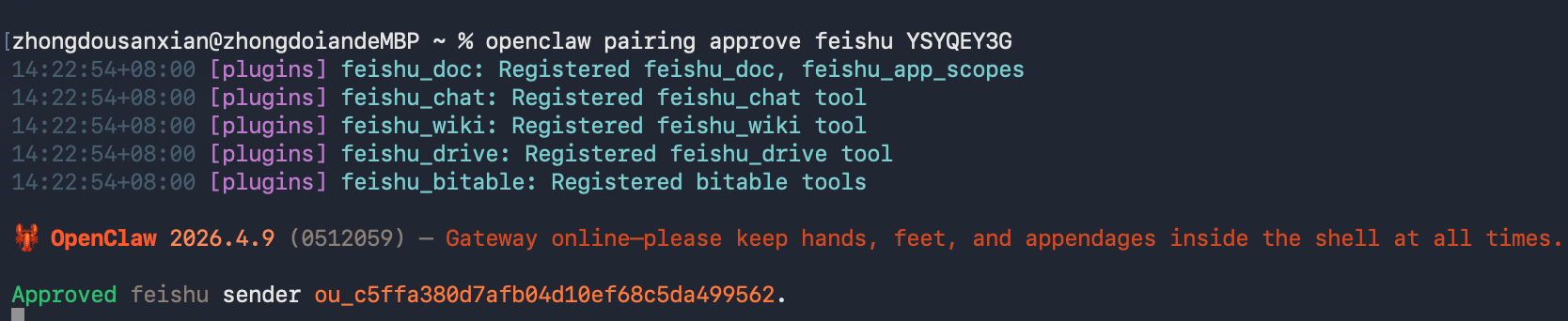 然后再回复消息,就能正常使用啦~
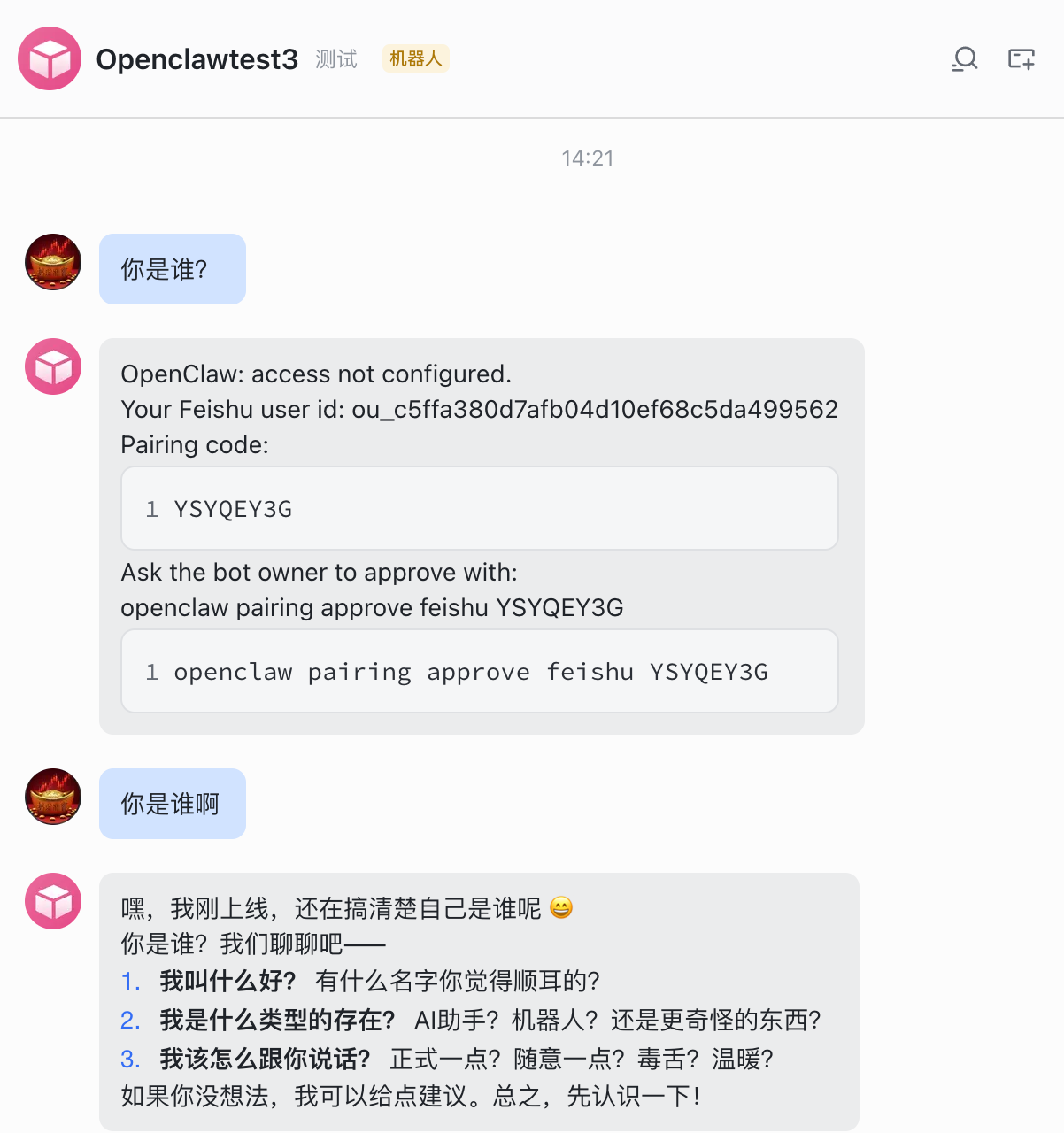 使用飞书的好处就是可以,随时随地的用手机交代电脑干活。
至此,所有的安装、配置都结束了,剩下的就是一些高阶和漫长的调教过程了,想要实现帮助你干活,需要先把自己的工作流程详细的落成文字,教会给 OpenClaw,这需要磨合,你把他想象成一个人即可,你跟人如何交流,跟你的下属如何交代工作?
三、卸载OpenClaw
如果你不想玩了,想要删除它,执行以下命令就清除掉啦。
| |